
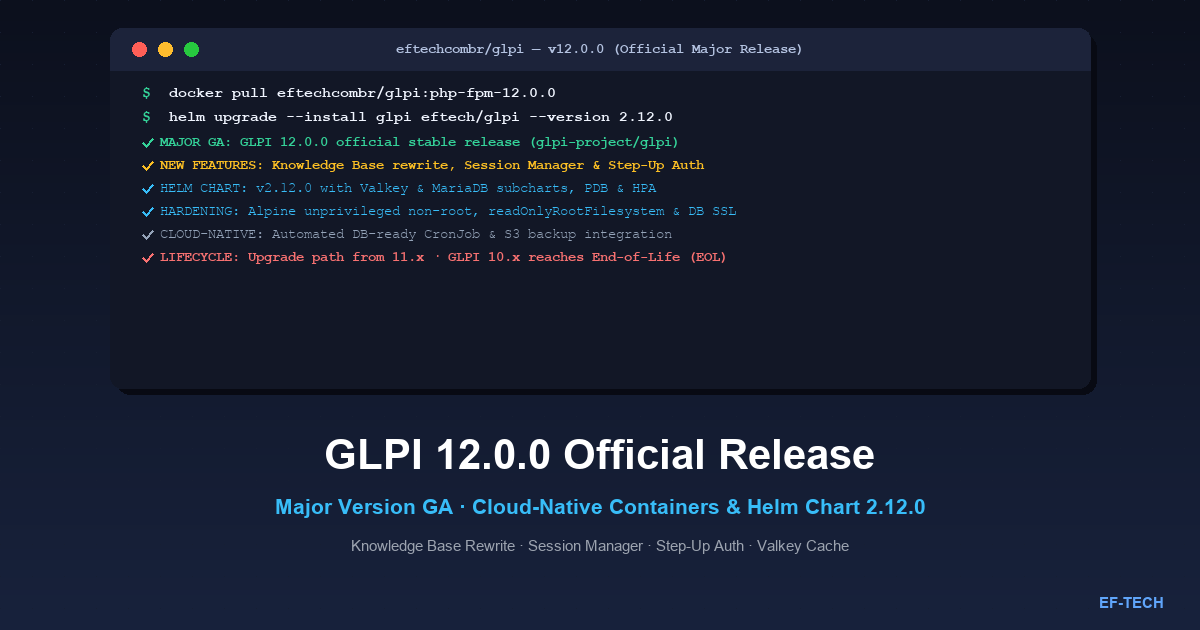

Today, October 9, 2026, EF-TECH is proud to announce the official release of version v12.0.0 of its cloud-native GLPI distribution in the eftechcombr/glpi repository (PR #214). This release follows the upstream General Availability (GA) publication of GLPI 12.0.0 by the glpi-project/glpi team on October 7, 2026 — reaching full production stability after three rigorous Release Candidate test cycles (rc1, rc2, and rc3).
Alongside this milestone, we are releasing the new Helm chart glpi-2.12.0 (with appVersion: "12.0.0") on the official EF-TECH charts repository, along with production-grade container images eftechcombr/glpi:php-fpm-12.0.0 and eftechcombr/glpi:nginx-12.0.0.
What’s New in Upstream GLPI 12.0.0#
GLPI 12.0.0 represents a major leap forward for open-source IT Service Management (ITSM) and IT Asset Management (ITAM), pairing a modernized user experience with strengthened enterprise security and governance controls.
1. Complete Knowledge Base Rework#
The Knowledge Base frontend has been redesigned from the ground up:
- Intuitive tree navigation and streamlined article categorization, drastically reducing ticket resolution time via user self-service portals.
- Fast, intelligent live search with enhanced keyword highlighting and relevant suggestions.
- Clean and responsive layout for standard operating procedures (SOP), technical guides, and FAQs.
- Revamped media, attachment, and code snippet rendering engine.
2. Active Session Management#
To support stringent enterprise security standards and regulatory compliance (such as ISO 27001, SOC 2, and GDPR), GLPI 12 introduces centralized session monitoring:
- Complete visibility into active user sessions: originating IP address, user-agent / browser info, session start time, and last observed activity timestamp.
- Remote session revocation: administrators can immediately invalidate specific or all active sessions for a compromised account.
- Self-service inspection for technicians and end users to audit and terminate forgotten sessions across external workstations or mobile devices.
3. Step-Up Authentication and Sudo Mode#
Sensitive administrative actions — such as altering profile permissions, performing bulk asset deletions, or updating external identity providers (LDAP, SAML, OAuth) — are now protected by Sudo Mode / Step-Up Authentication:
- Operators are prompted to re-authenticate (via password or secondary MFA factor) before executing sensitive administrative operations.
- This defense-in-depth mechanism ensures that active unattended browser tabs on administrative workstations cannot be hijacked or misused.
4. Group-Managed OLAs (Operational Level Agreements)#
In advanced ITSM workflows, Operational Level Agreements (OLAs) define internal service-level targets between internal support teams:
- GLPI 12 introduces native support for multiple OLAs directly assigned to technician groups (e.g., networking, sysadmin, database, application support).
- Supports cascading deadlines and SLA escalation as tickets pass between different tiers and teams.
5. In-Depth Accessibility (RGAA & RAWeb)#
This release marks the first comprehensive development cycle aligned with international accessibility guidelines (WCAG) as well as the French RGAA (Référentiel Général d’Amélioration de l’Accessibilité) and RAWeb standards:
- Full keyboard-only navigability across core ticket workflows, inventory management, and reporting dashboards.
- Balanced visual contrast ratios and native screen reader compatibility.
6. Core Security Hardening#
The upstream codebase underwent a deep hardening cycle:
- Strengthened defenses against SQL injection (SQLi) and cross-site request forgery (CSRF).
- Strict typing and strict input validation across all internal service APIs and form processing endpoints.
7. Brand New User Documentation Portal#
End-user and administrator guides have been rewritten and published at the official portal help.glpi-project.org, featuring modern tutorials, visual workflows, and ITSM best practices.
8. End of Life (EOL) for GLPI 10.x#
An essential lifecycle advisory for system administrators: the GLPI 10.x release cycle has officially reached End-of-Life (EOL).
- GLPI 10.0.28 serves as the final maintenance release of the 10.x series.
- Going forward, no further bug fixes will be provided for GLPI 10.
- Organizations running GLPI 10 should immediately plan their migration to supported versions (GLPI 11.x or GLPI 12.x).
Key Features in EF-TECH’s Cloud-Native Distribution#
The eftechcombr/glpi project packages GLPI specifically for Kubernetes and containerized production environments.
In release 12.0.0 and Helm chart glpi-2.12.0, highlights include:
| Feature | Technical Highlights |
|---|---|
| Unprivileged (Non-Root) Images | Lightweight Alpine-based containers running PHP-FPM and Nginx under unprivileged UID 10001 / GID 10001. |
Valkey Subchart (helmforge/valkey) | Modern Valkey subchart replacing inline Redis, with full support for externalCache connecting to managed enterprise cache clusters. |
MariaDB Subchart (helmforge/mariadb) | Decoupled database subchart with dynamic secret generation and support for externalDatabase with existingSecret. |
| Custom Nginx Configuration Templates | Support for mounting custom nginx.conf.template files via ConfigMap (PR #209), allowing operators to disable the IPv6 listener in IPv4-only clusters. |
| Database SSL/TLS Connections | Native encrypted database connections (GLPI_DB_SSL, GLPI_DB_SSL_CA, GLPI_DB_SSL_VERIFY) compatible with AWS Aurora MySQL, Google Cloud SQL, and Azure Database for MySQL (PR #207). |
| Enterprise High Availability (HA) | Built-in PodDisruptionBudget (PDB) and HorizontalPodAutoscaler (HPA) to seamlessly handle service desk traffic spikes. |
| Container Hardening | Support for readOnlyRootFilesystem, priorityClassName, strict securityContext, and Bitnami-style resource presets (resourcesPreset). |
| Operational Automation | Automated maintenance CronJob (bin/console glpi:cron) conditioned on database readiness, and optional automated file backup CronJob targeting S3-compatible object storage. |
How to Install or Upgrade#
1. Kubernetes Deployment via Helm Chart#
The EF-TECH Helm chart provides the recommended method for deploying GLPI on Kubernetes clusters.
Step 1: Add the EF-TECH Helm Repository#
# Add or update the official EF-TECH Helm repository
helm repo add eftech https://eftechcombr.github.io/glpi/charts
helm repo update
Step 2: Configure values.yaml#
Create a production-ready values.yaml configuration file:
# values.yaml for GLPI 12.0.0 production deployment
replicaCount: 2

image:
  repository: eftechcombr/glpi
  tag: "php-fpm-12.0.0"
  pullPolicy: IfNotPresent

nginx:
  enabled: true
  image:
    repository: eftechcombr/glpi
    tag: "nginx-12.0.0"
  resourcesPreset: "small"

autoscaling:
  enabled: true
  minReplicas: 2
  maxReplicas: 8
  targetCPUUtilizationPercentage: 75
  targetMemoryUtilizationPercentage: 80

podDisruptionBudget:
  enabled: true
  minAvailable: 1

securityContext:
  readOnlyRootFilesystem: true
  runAsNonRoot: true
  runAsUser: 10001

# Enable Valkey subchart for fast session handling and cache
valkey:
  enabled: true

# Enable MariaDB subchart for internal persistence
mariadb:
  enabled: true
  auth:
    database: glpi
    username: glpi

cron:
  enabled: true
  schedule: "*/5 * * * *"
Step 3: Run the Helm Upgrade/Install Command#
helm upgrade --install glpi eftech/glpi \
  --namespace glpi \
  --create-namespace \
  --version 2.12.0 \
  -f values.yaml
2. Standalone Deployment with Docker Compose#
For organizations operating standalone container environments on Docker engines or virtual machines:
# docker-compose.yml
services:
  glpi-db:
    image: mariadb:11.4
    restart: unless-stopped
    environment:
      - MARIADB_ROOT_PASSWORD=your_secure_root_password
      - MARIADB_DATABASE=glpi
      - MARIADB_USER=glpi
      - MARIADB_PASSWORD=your_secure_glpi_password
    volumes:
      - db_data:/var/lib/mysql
    networks:
      - glpi-net

  glpi-cache:
    image: valkey/valkey:8.0-alpine
    restart: unless-stopped
    networks:
      - glpi-net

  glpi-fpm:
    image: eftechcombr/glpi:php-fpm-12.0.0
    restart: unless-stopped
    environment:
      - GLPI_DB_HOST=glpi-db
      - GLPI_DB_NAME=glpi
      - GLPI_DB_USER=glpi
      - GLPI_DB_PASSWORD=your_secure_glpi_password
      - GLPI_DB_SSL=false
    volumes:
      - glpi_files:/var/www/glpi/files
      - glpi_plugins:/var/www/glpi/marketplace
    depends_on:
      - glpi-db
      - glpi-cache
    networks:
      - glpi-net

  glpi-nginx:
    image: eftechcombr/glpi:nginx-12.0.0
    restart: unless-stopped
    ports:
      - "8080:80"
    environment:
      - GLPI_PHPFPM_HOST=glpi-fpm
      - GLPI_PHPFPM_PORT=9000
    depends_on:
      - glpi-fpm
    networks:
      - glpi-net

volumes:
  db_data:
  glpi_files:
  glpi_plugins:

networks:
  glpi-net:
    driver: bridge
Start the stack with:
docker compose up -dMigration Guide: Moving from GLPI 10.x / 11.x to GLPI 12.0.0#
Upgrading to a major release requires deliberate planning to ensure business continuity:
- Mandatory Full Backups:
- Create a consistent snapshot of your MariaDB/MySQL database (
mysqldump --single-transaction --quick glpi > backup_glpi_pre12.sql). - Back up the entire GLPI persistent files directory (
/var/www/glpi/files/).
- Create a consistent snapshot of your MariaDB/MySQL database (
- Review Plugin Compatibility:
- Because GLPI 12 features overhauled UI components and rewritten Knowledge Base internals, check that any installed plugins are officially certified for GLPI 12 on the GLPI Marketplace.
- Execute Database Schema Migration:
- When deploying via container, the entrypoint validates and triggers the update automatically. Alternatively, run the CLI tool:
php bin/console db:update
- When deploying via container, the entrypoint validates and triggers the update automatically. Alternatively, run the CLI tool:
- Cache Invalidation:
- Flush and regenerate the application cache after schema updates:
php bin/console cache:clear
- Flush and regenerate the application cache after schema updates:
Official Links and References#
- eftechcombr/glpi GitHub Repository
- eftechcombr/glpi Releases and Changelog
- Official EF-TECH Helm Charts Repository
- GLPI on Artifact Hub
- Upstream GLPI 12.0.0 Release Notes
- GLPI User Help Documentation
EF-TECH specializes in enterprise cloud architecture, Kubernetes, and Site Reliability Engineering (SRE). We design, migrate, and support mission-critical GLPI deployments with enterprise-grade high availability, security hardening, and GitOps automation.
Looking to upgrade your GLPI environment or deploy on enterprise Kubernetes? Contact us to speak with our cloud engineers. Learn more about our GLPI enterprise solution and explore additional technical articles on our blog.